Wishlist6 min read
A beauty wishlist that isn’t stuck in one shop
A Sephora or Mecca wishlist only works in that shop. Save what you want into Beauty Board, from every retailer you actually use.
A beauty wishlist only does its job if it holds everything you want, and most of them do not. The wishlist inside a shop can only ever hold that shop's stock, so the moment you want something from somewhere else, your list is already incomplete. Keep one wishlist of your own in Beauty Board, outside any retailer, and let it hold products from every shop you actually buy from.
Why retailer wishlists break the moment you shop elsewhere
Shop wishlists are shop-shaped. A MECCA wishlist is a MECCA tool: it exists to bring you back to MECCA, and it can only save things MECCA sells. Nothing wrong with that, but it means your wants get filed by who sells them rather than by what they are.
So the serum you saw on a brand's own site sits in a screenshot. The Cult Beauty thing lives in a browser tab. Two Sephora saves, one Adore Beauty save, three Instagram bookmarks. When you finally have money to spend, you cannot see the whole picture in one place, so you buy whatever you happen to remember.
There is a quieter problem too. A retailer wishlist is visible mainly when you are inside that retailer, which is to say when you are already shopping. That is the worst possible moment to be reminded of ten other things you wanted.
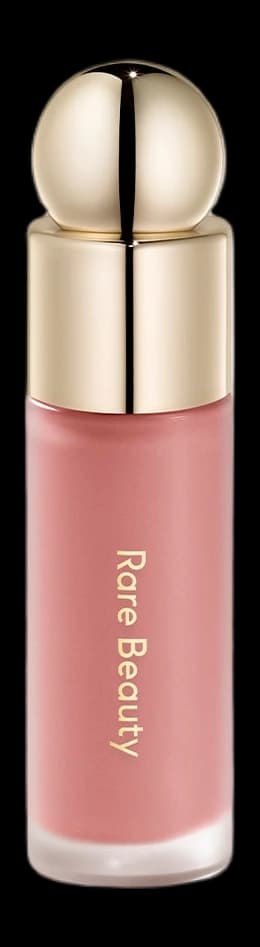
Rare Beauty
Soft Pinch Liquid Blush
Hope
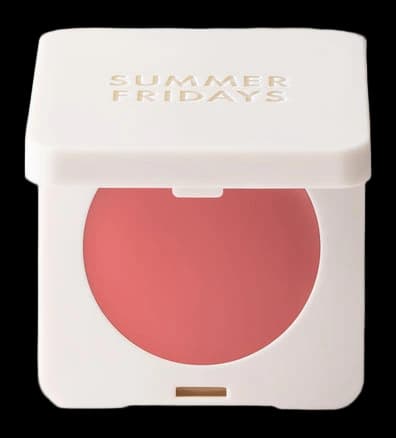
Summer Fridays
Blush Butter Balm
Soft Strawberry
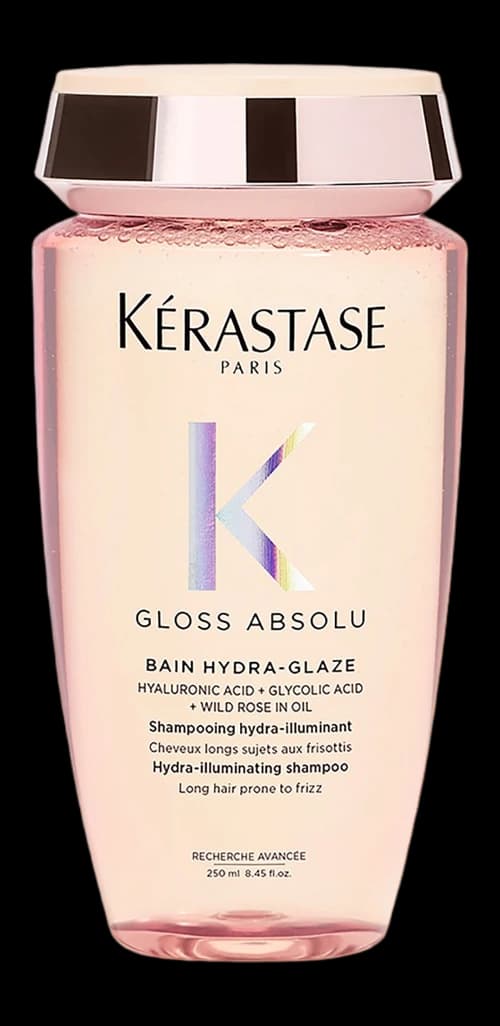
Kérastase
Gloss Absolu Bain Hydra-Glaze
250 ml
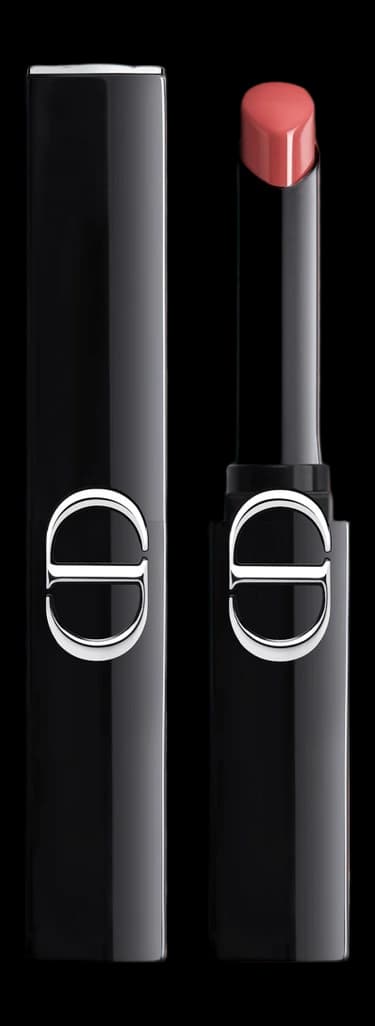
Dior
Rouge Dior On Stage
425 Wild Rosewood
How do you make a beauty wishlist that works across multiple stores?
Keep the list in Beauty Board, not in a shop. Paste each product link so the brand, name, shade, and photo come across, mark it Wishlist, and add it to one wishlist. That list is the only place you add wants, no matter which retailer you were browsing when you found them.
That is the whole method. Everything below is just doing it well.
Start the list with what you already want
Do not start from zero and wait for something to save. You already have wants scattered around. The first job is collecting them.
Give yourself twenty minutes and sweep the places they hide:
- Open your existing shop wishlists (Sephora, MECCA, Adore Beauty, Priceline, Cult Beauty, wherever you have an account) and paste across anything you still want.
- Scroll your camera roll for screenshots of products. Screenshots are usually the biggest pile.
- Check saved posts on Instagram and TikTok, and any Pinterest board you use for beauty.
- Look at your open browser tabs and your notes app.
- Add the things that are not written down anywhere but you know you want, because a friend mentioned them or you finished a sample.
Do the sweep once, properly. After that, saving happens one product at a time as you find them, which takes seconds.
Beauty Board is built for exactly this step. You paste the product link you already have, and it pulls across the details the page makes available and turns the product photo into a clean cutout, so a Priceline save and a Nordstrom save end up looking like part of the same list. If a page is stingy with its information, you can correct it, and if there is no link at all you can add the product by hand with a name, a brand, and a photo. There is more detail on that in how to save a product from any shop.
Write down the detail you will need later
Most wishlists fail at the shop counter, not at the saving stage. You remember you wanted the foundation, but not the shade. You remember the brand, but not which of its four cleansers.
For each product, capture:
- Brand and full product name. "Hydrating serum" is not enough. Brands have several.
- Shade or variant. The exact name, not "the mid one".
- Size. Especially for anything you might buy in a set or a travel size.
- Where you saw it, so you can check availability and price yourself later.
- Why you want it. One line. "To replace my current one" and "curious, saw it once" are very different wants.
That last line does more work than it looks. Reading it back a month later is usually enough to tell you whether to buy or delete. In Beauty Board it lives on the wishlist entry, next to the packshot.
Use the wishlist sections if they help. Buying soon for the things you mean to get. Dreaming for the rest. Ranking the list is optional, and it is useful when you need to spend on purpose rather than on whatever you opened last.
Keep want and own as two separate things
A want-list quietly turns into a junk drawer when you buy something and leave it sitting there. Then you are never sure whether the list is a shopping list or an inventory, and you stop trusting it.
Decide the rule now: when a product arrives, take it off the wishlist and mark it Using. Same product, different meaning. In Beauty Board a wishlist and your collection are different views of the same products, so moving something across is a change of status rather than re-typing it. If you have not yet built the "own" half, keeping every beauty product you own in one place covers that side, and it pairs with this one. The two views are much more useful together than either is alone.
Being able to see both is also how you stop buying near-duplicates. It is much easier to talk yourself out of a fourth cream cleanser when the three you already use are visible on the same screen.
Give the wishlist a light prune every month or two. Delete anything you no longer want. A list you have edited recently is a list you will actually shop from.
Sharing a wishlist without showing your whole collection
The wishlist earns its keep around birthdays and Christmas, when someone asks what you want and you would rather not say "anything's fine". A shared list saves both of you the guesswork, especially with shades, where a well-meant guess usually goes wrong.
The thing to be careful about is scope. You want to hand over a short, giftable list, not open up everything you have ever saved, including the expensive things you are only daydreaming about and the products you already own.
So keep the shared version deliberate:
- Make a separate wishlist or gift list for the occasion rather than sharing the master one.
- Keep it short. Ten or so products is easier to buy from than fifty.
- Spread the price range, so there is something for a colleague and something for a partner.
- Include shades and sizes, since that is the part people cannot guess.
- Take out anything already bought, so nobody buys a duplicate.
In Beauty Board everything is private by default, and sharing means creating a view-only link for one board or one list. Whoever opens it sees that view and nothing else. Sharing a board without sharing your whole collection goes through how that works in practice.
An alternative to the Sephora wishlist, and every other one
What Beauty Board adds is the tedious part: pulling the details off the page, making the photos consistent, and letting the same product sit in a wishlist today and your collection next week without being retyped. You can start a Beauty Board on the free plan, with no card, and paste in the first few links you have been sitting on.
Your wants do not belong to a retailer. Keep them somewhere that shows you all of them at once.
Written by Beauty Board
Notes on saving and curating beauty from the Beauty Board team.