Catalogue6 min read
Keep every beauty product you own in one place
Paste shop links into Beauty Board, add the rest by hand, and keep one catalogue you can search by brand, shade, and photo.
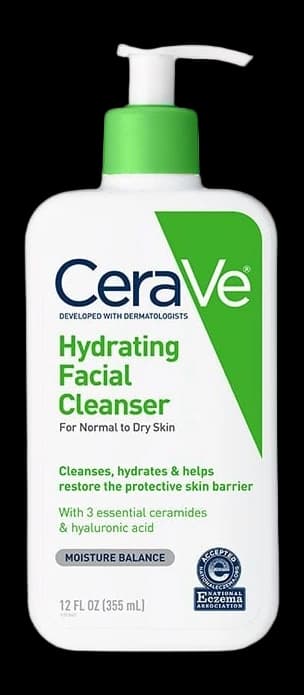
To keep track of beauty products properly, they all have to live in one place, no matter which shop they came from. Beauty Board is that place. Paste the links you already have, add anything without a link by hand, and give every product the same few details: brand, name, shade, and where you bought it. Then you can search it, arrange it, and stop buying the same thing twice.
Most people already have the information. It is just spread across six places, none of which talk to each other.
Why beauty products are so hard to keep track of
Beauty is the rare category where you buy the same thing repeatedly, in variations, over years. A wardrobe is visible on a rail. A skincare shelf is a drawer of white tubes, half of them decanted, a third of them travel size.
The saving happens in whatever app is open at the time. A serum you liked becomes a screenshot. A foundation you are considering goes into a retailer wishlist. The shade name your friend recommended goes into a note titled "beauty" that also has a dentist appointment in it. Each of those is a reasonable thing to do in the moment, and together they guarantee you cannot answer a simple question in the aisle: do I already own this?
That is the actual cost. Not tidiness. Repeat purchases, forgotten products, and standing in front of a shelf trying to remember a shade number.
CeraVe
Hydrating Facial Cleanser
Normal to dry

Tatcha
The Dewy Skin Cream
Full size
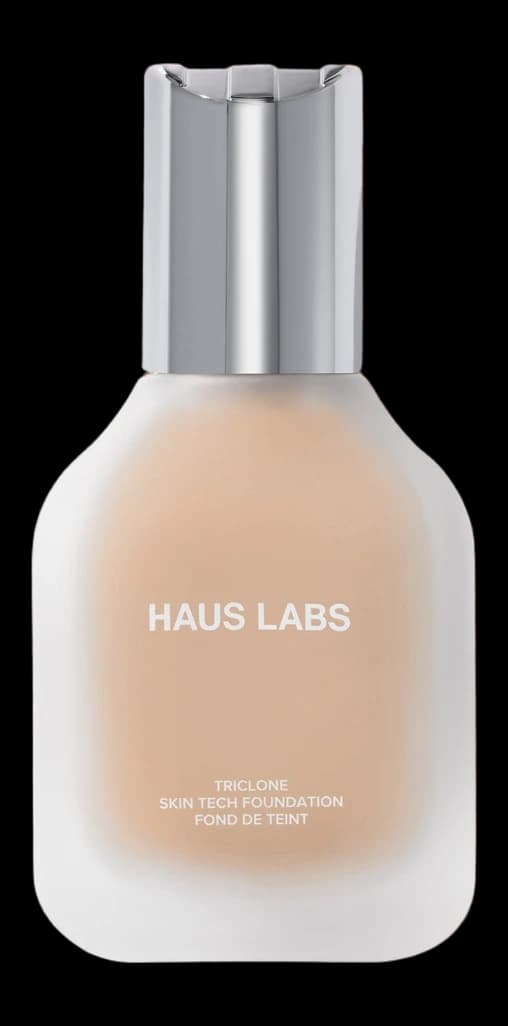
Haus Labs
Triclone Skin Tech Foundation
230 Light Medium Cool
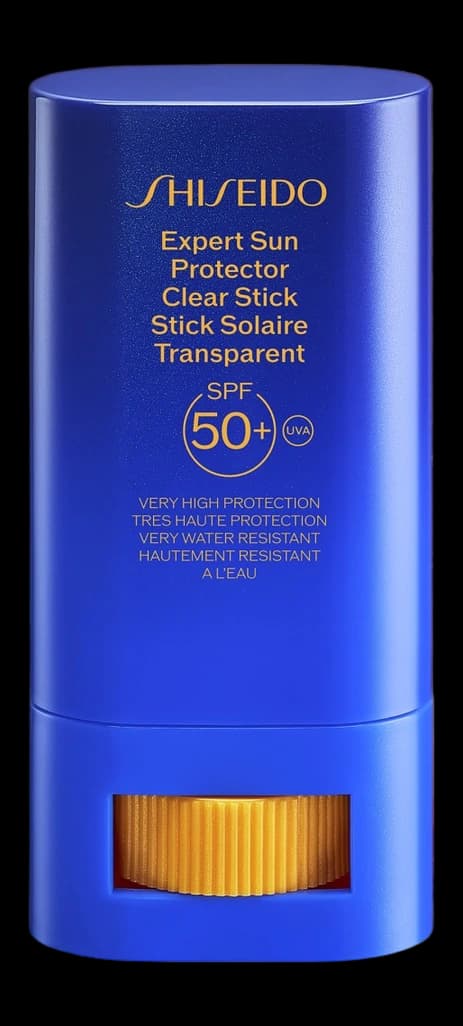
Shiseido
Expert Sun Protector Clear Stick SPF 50+
20 g
Where should you save beauty products?
Save them in Beauty Board, not in the shop you bought them from. A retailer wishlist only holds that retailer's stock. Your camera roll cannot be searched by brand. One catalogue you own beats five you rent.
Pasting a product link from Sephora, MECCA, Adore Beauty, Priceline, Cult Beauty, or anywhere else pulls across the details that page makes public, then processes the product photo into a clean cutout. The list reads visually rather than as a wall of text. Products without a usable link get added by hand with a name, brand, and photo, and they sit in the same catalogue.
Whatever you do, keep one catalogue. A beauty inventory split across two apps is the same problem you started with.
A starting method you can follow today
This takes about twenty minutes for a normal-sized collection. Do it in one sitting if you can, because half-finished is worse than not started.
- Open Beauty Board. Start free if you have not already. Do not spend more than a minute on this decision.
- Empty the shelf first, not the screenshots. Physically pull out what you own and use: skincare, base, the three lipsticks you reach for. Products you actually use are the ones you will search for later.
- Paste a shop link for each one you can. Open the product page, copy the URL, paste it, review the shade. Mark it Using.
- Add the rest by hand. Name, brand, shade, and a photo of the tube on the counter is enough. Visual recognition is faster than reading, especially for shades.
- Then do the screenshots. Open your camera roll, filter to screenshots, and work backwards for six months. Anything you no longer want, delete rather than save. This is the only pass where deleting is free.
- Then the retailer wishlists. Open each shop's saved list, paste anything you still want into Beauty Board, mark it Wishlist, and clear the shop list out. Keeping both is how the sprawl comes back.
- Set the ongoing rule. New product, however you find it, goes straight in. Ten seconds at the time beats an hour of archaeology later.
Steps six and seven are where most of the value sits. Once Using and Wishlist live side by side in the same catalogue, you stop buying things you already have, and your wishlist stops being trapped inside one shop.
What belongs in a beauty product record
Keep it short. A record you can fill in without thinking is a record you will keep filling in.
- Brand and product name. Written the way the shop writes it, so search finds it.
- Shade or variant. The name and the number, if there is both. Shade names repeat across brands. Numbers do not.
- Where it came from. The shop, and the link if you have it, so repurchasing is one tap.
- A status when you know it. Using, Wishlist, Tried, or Saved. New saves can wait until you pick one.
- A photo. The single field that makes the list scannable. Beauty Board cuts shop photos into packshots so this takes care of itself on a paste.
Resist the urge to track more at the start. Batch codes, opening dates, star ratings, and price history all sound useful and all quietly turn a two-minute habit into an admin job. If you want more structure later, add it once the basic catalogue has survived a month.
How to keep track of makeup you own without it becoming a chore
The habit only survives if saving takes seconds. Capture at the moment of interest, not later: the screenshot you promise to file tonight never gets filed. Never type what you can paste.
In Beauty Board this is a paste. You drop in a product URL, the details and a clean packshot come across, and you correct anything the page did not give up. Extraction depends on what a retailer's public page makes available, so some pages come through complete and others need a shade typed in. When there is no link at all, you add the product by hand, and it sits alongside everything else.
Organising comes after the catalogue, not before
The common mistake is starting with the structure. People build categories, folders, and colour systems before they have entered a single product, and the structure never gets filled.
Get every product into Beauty Board first. Only then does arranging it pay off, because you can see what you actually have: that you own four nearly identical nude lipsticks, or that your evening routine is six steps you never finish. That is also the point where organising a makeup collection becomes a five-minute job rather than a project.
Products land in your catalogue first, then you arrange them onto boards, into lists, routines, collections, and wishlists. A product can sit in several at once, because it is one record being viewed different ways rather than a copy in a folder. Everything stays private until you deliberately create a view-only share link.
Start with what you already own
If you only do one thing, do step two: open the drawer, paste the products that are in it, and keep them where you will look again. A digital beauty collection built from the products already on your shelf is more useful in a week than a perfect wishlist you started from scratch.
Beauty Board is free to start and does not ask for a card. Paste one link, see the product come through as a clean record, and go from there.
Written by Beauty Board
Notes on saving and curating beauty from the Beauty Board team.